Shop Sales Notifier
Shop Sales Notifier
दुकान बिक्री सूचना
बिक्री दर्ज करें — पूरी टीम को तुरंत सूचना मिलेगी
Owner gets notified of every sale. Track in real-time, from anywhere.
▶️ Get it on Google Play Free · Android
App Screenshots · ऐप की झलक
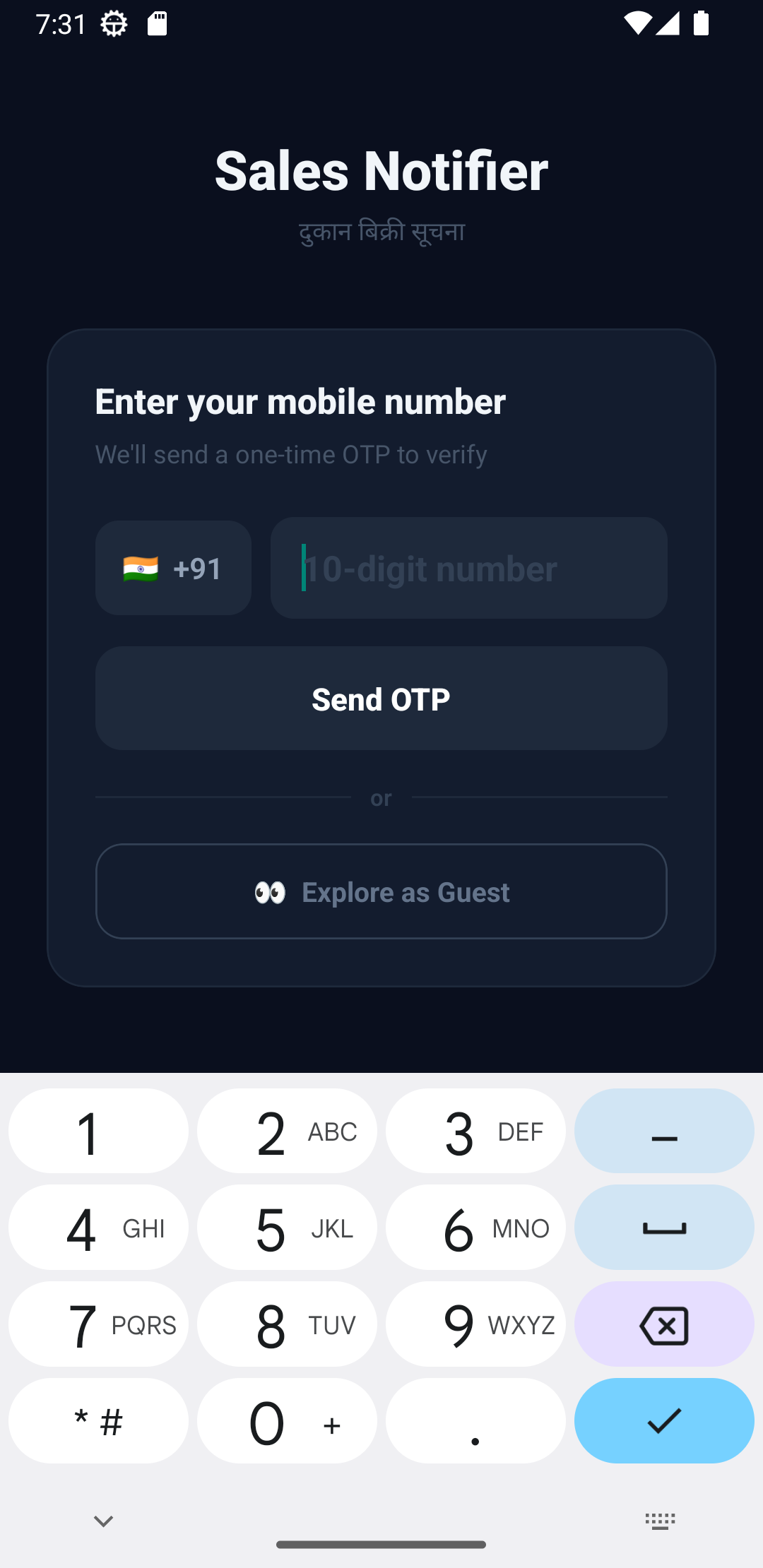
Login
Secure Login
सुरक्षित लॉगिन
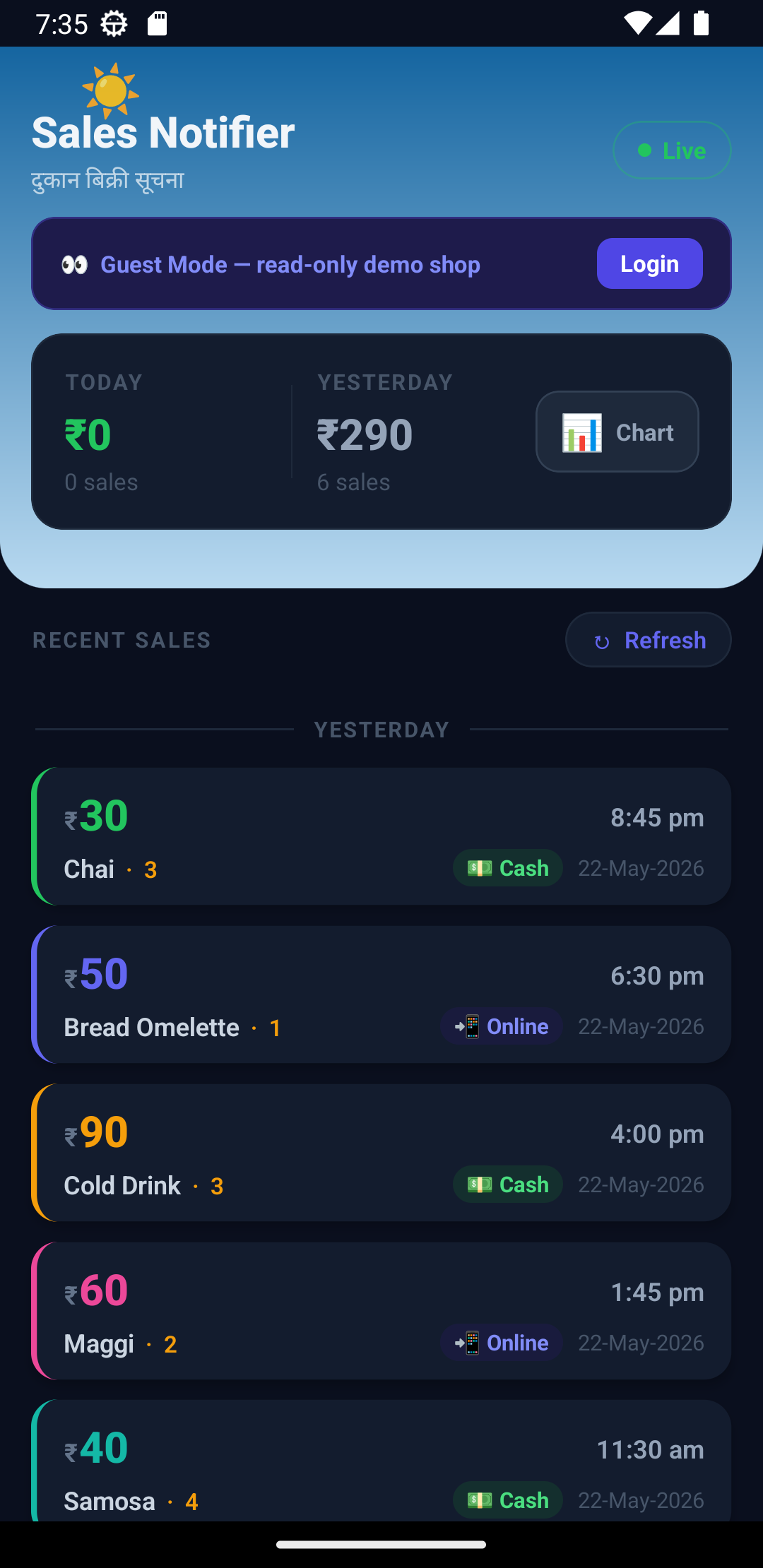
Home
Sales Dashboard
बिक्री डैशबोर्ड
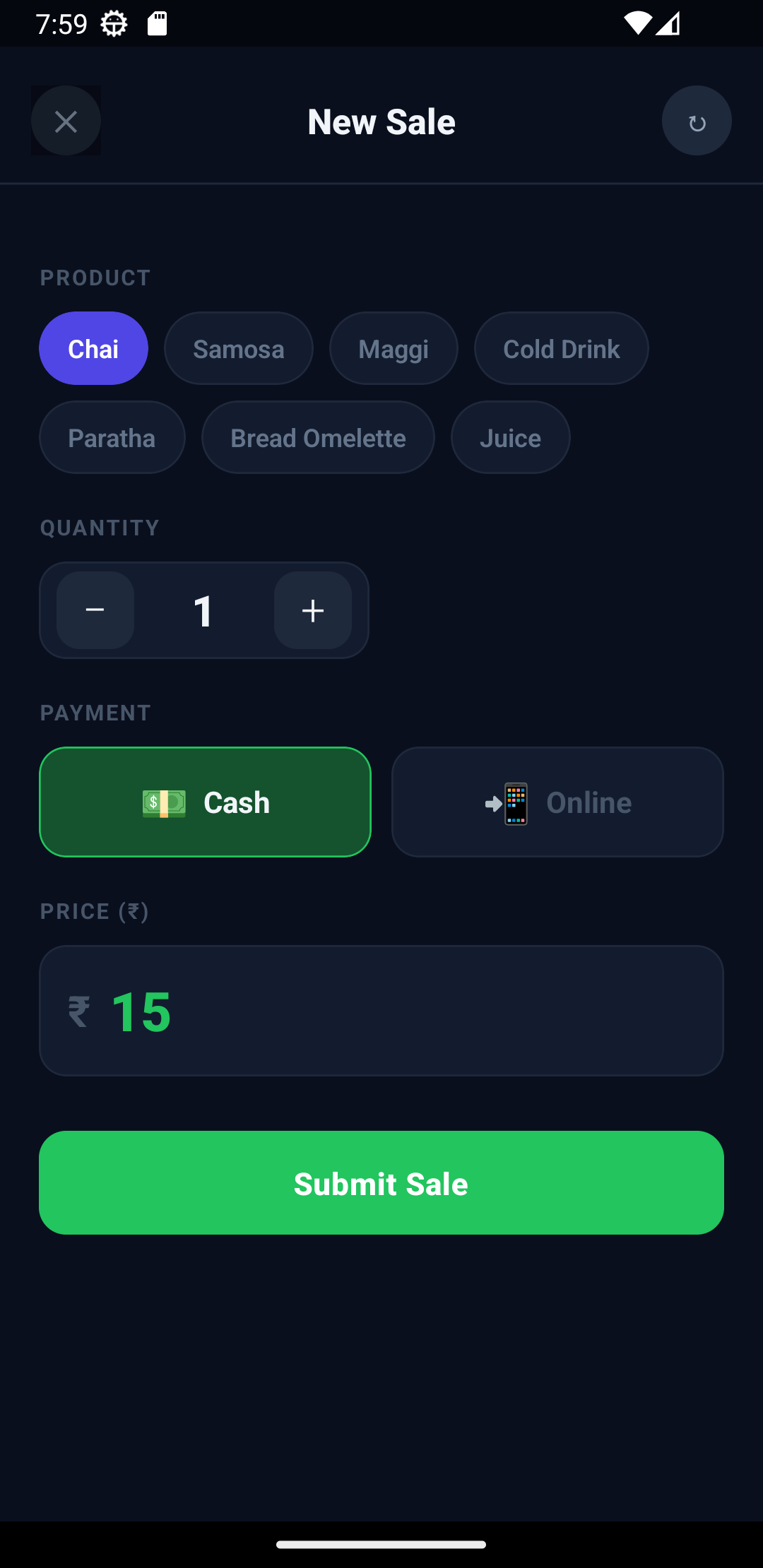
New Sale
New Sale Entry
नई बिक्री दर्ज करें
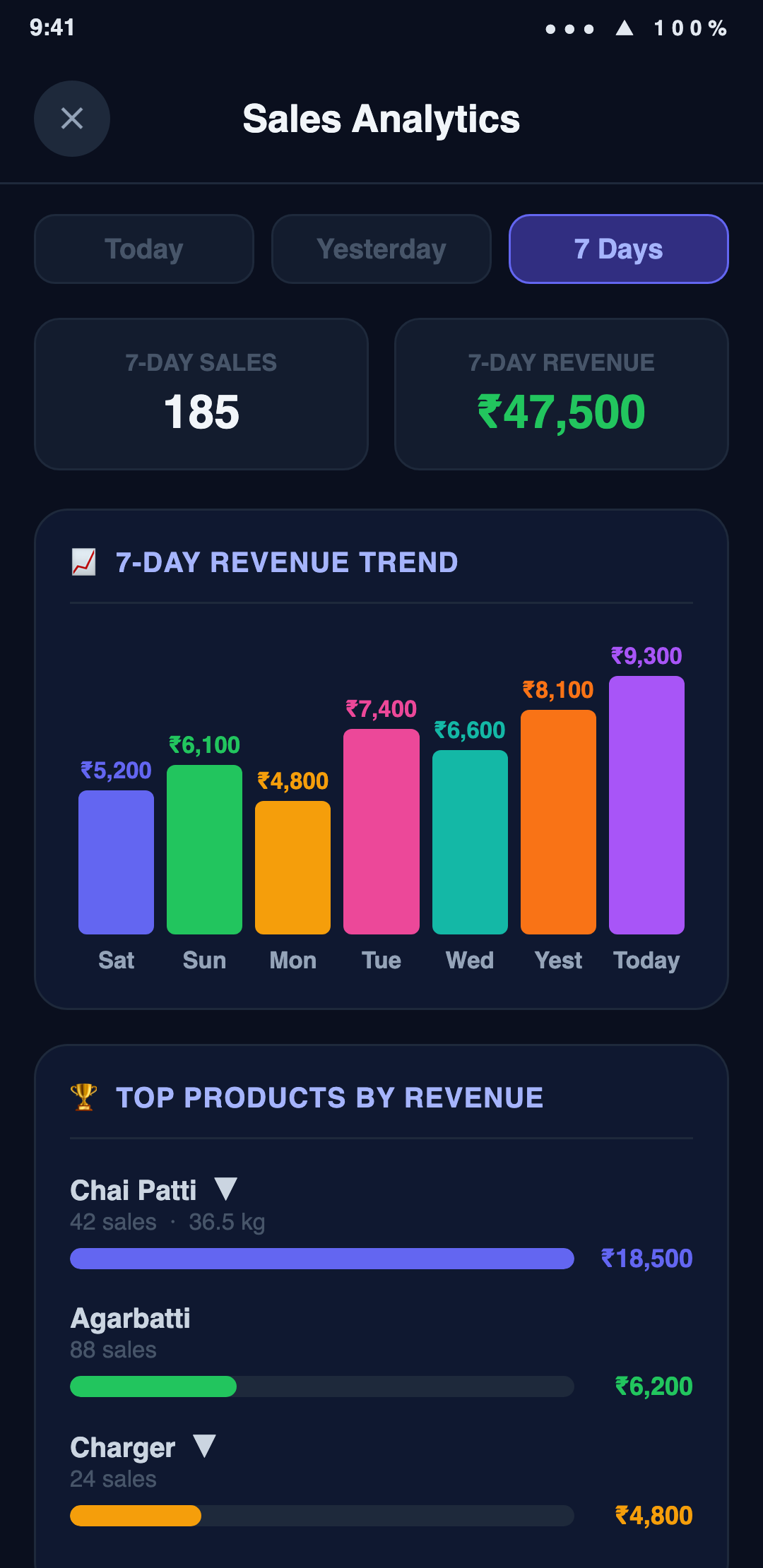
Analytics
Analytics & Charts
विश्लेषण और चार्ट
Voice & Push Alerts · आवाज़ सूचना
🔊 Speaks Every Sale Aloud
हर बिक्री की आवाज़ में सूचना
Just like Paytm and PhonePe announce every payment — Shop Sales Notifier speaks out every new sale so the owner never misses a transaction, even with the phone in their pocket.

हर नई बिक्री पर आवाज़ में घोषणा — "नई बिक्री — ₹90 रुपये — Cash"
🔔 Push Notification 🔊 Voice Alert 📲 Real-time
Shop Sales Notifier
now
नई बिक्री — Cold Drink
₹90 · Cash · Qty: 3 · by DS
Shop Sales Notifier
4m ago
नई बिक्री — Chai
₹30 · Cash · Qty: 3 · by MM
🔊 "नई बिक्री — 90 रुपये — Cash"
Key Features · मुख्य विशेषताएं
🔔
Instant Notifications
तुरंत सूचना
Every sale alerts the whole team instantly — no missed entries.
📊
Analytics & Charts
विश्लेषण और चार्ट
Today, Yesterday & 7-Day views — revenue trend, top products and volume-share charts.
⚖️
Weight or Quantity
वज़न या मात्रा
Sell by kg or by piece — see total kg sold per product.
🏷️
Product Options
उत्पाद विकल्प
Track company, type, size & more with custom attributes on each sale.
👥
Roles & Permissions
भूमिकाएं और अधिकार
Admin, member & staff roles with per-feature view / add / edit control.
📦
Purchase & Stock
खरीद और स्टॉक
Record purchases and keep product stock in sync automatically.
🏬
Multiple Shops
कई दुकानें
Manage more than one shop from a single login and switch anytime.
👤
Who Made the Sale
किसने बेचा
Every entry shows which staff member recorded it.
✏️
Edit Within 15 Min
15 मिनट में सुधार
Made a mistake? Edit any sale within 15 minutes.
📶
Works Offline
बिना इंटरनेट देखें
Cached data loads instantly even without internet.
🔒
Secure OTP Login
सुरक्षित लॉगिन
Phone number + OTP. Only authorized members can access.
How It Works · कैसे काम करता है
1
Open App & Tap +
ऐप खोलें और + दबाएं
Launch the app and tap the green + button to start a new sale.
2
Select Product & Fill Details
उत्पाद चुनें और विवरण भरें
Pick product, weight or quantity, price and payment mode (Cash / Online).
3
Submit — Team Gets Notified
Submit करें — सूचना मिलेगी
Tap Submit. The sale is saved and everyone on the team receives a push notification instantly — owner hears a voice alert too.
4
Track Sales & Analytics
बिक्री और विश्लेषण देखें
Open Analytics for Today, Yesterday & 7-Day views — revenue trend, top products, volume share and total kg sold.
💬
Chat Now
WhatsApp